How to Politely Chase Unpaid Invoices & Keep Client Relationships Strong
Discover the art of getting paid without burning bridges. This guide provides a proven, step-by-step strategy for how to follow up on an unpaid invoice politely, ensuring your cash flow stays healthy and client relationships thrive.
The Case of the Missing Money: How to Politely Chase Down Unpaid Invoices Without Turning into a Villain
It’s a scenario no business owner, freelancer, or independent contractor ever wants to face. You know the one. That sinking feeling when you realize your hard-earned cash hasn't landed in your bank account. You've delivered the goods, slung the services, and sent the bill. Now you wait. Like a kid on Christmas Eve, but instead of presents, you're hoping for an email notification.
But as the due date waltzes by, and days turn into weeks, that initial anticipation morphs into a quiet anxiety. "Did they forget?" "Is something wrong?" "Am I going to have to send a passive-aggressive pigeon carrying a tiny, overdue bill?" (Spoiler: please don't do that.)
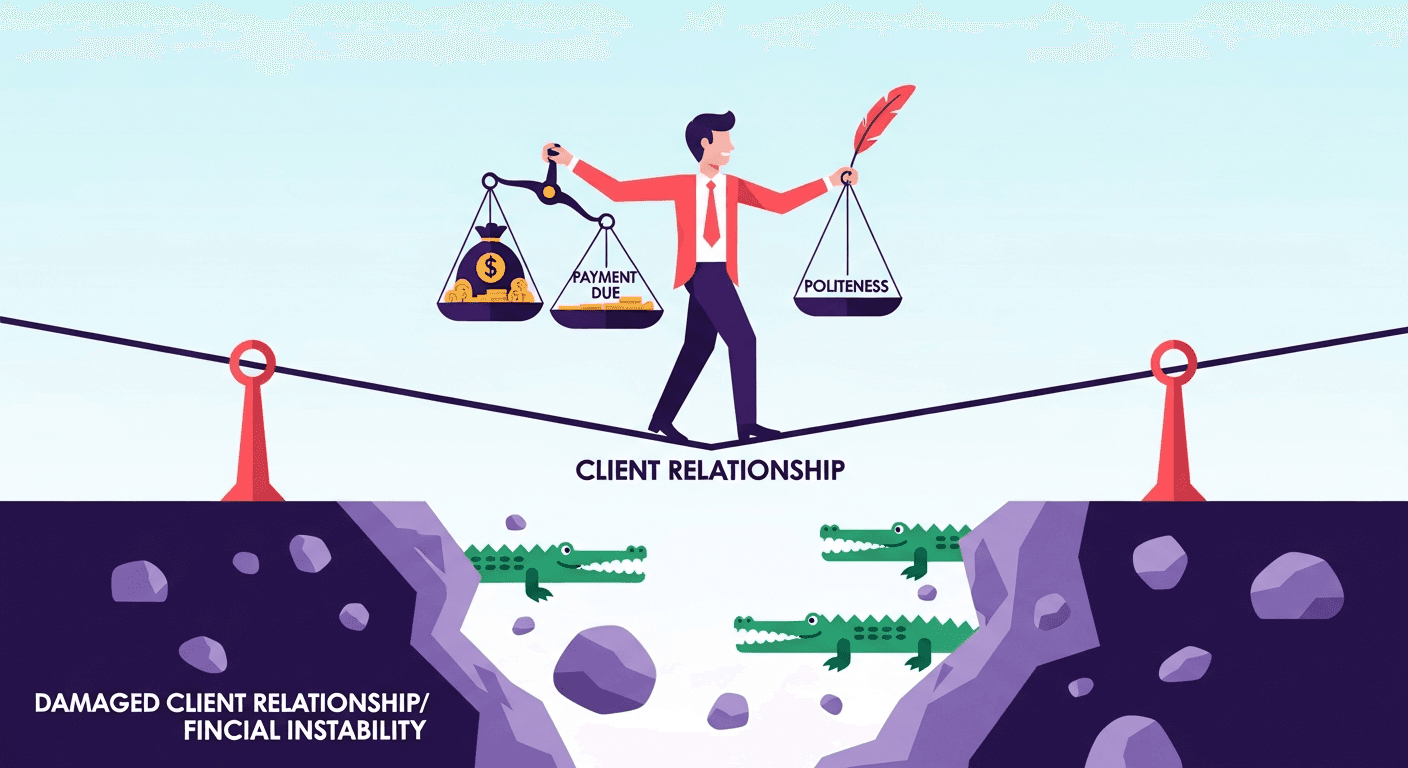
The real question is, how do you address this without jeopardizing a valuable client relationship or, worse, coming across as a demanding fiend who just crawled out of a financial dungeon? The answer, my friend, lies in mastering how to follow up on an unpaid invoice politely.
This isn't just about getting paid – though let’s be real, that’s a pretty big part of it. It’s about safeguarding your cash flow (the lifeblood of any business, right up there with coffee), maintaining your professional integrity, and actually strengthening your client relationships for the long run. Here at InvoiceCave, we understand that prompt payments are like finding a twenty in your old jeans – delightful and crucial. We’re here to guide you through a proven, step-by-step strategy for polite invoice follow-up to ensure you get what you’re owed, with grace, effectiveness, and not a single pigeon.
The Silent Saboteur: Why Unpaid Invoices Are More Than Just an Annoyance (They're Like Financial Ninjas)
Unpaid invoices aren't just a minor inconvenience you can shrug off. Oh no, my friends. They're the silent saboteurs of your financial stability, stealthy ninjas ready to wreak havoc on your meticulously planned budget. Imagine you're trying to plan your next big move, invest in snazzy new equipment, or simply pay your own bills, only to find a crucial payment playing hide-and-seek.
This disruption to your cash flow isn't just a tiny ripple; it’s more like a tsunami that can crash through your entire operation. It impacts everything from daily expenses (that aforementioned coffee habit!) to those ambitious long-term growth strategies. Effective cash flow management is key for business success. Boost Your Business Cash Flow
And here's where we get serious for a moment: the urgency of addressing unpaid invoices can't be overstated. We're not talking about a leisurely stroll in the park here. Research shows that the recovery rates for overdue invoices decline dramatically after 90–120 days. That's like a financial expiration date. The longer you wait, the less likely you are to get paid at all.
For small businesses and freelancers, where every dollar has a name tag and a job, this isn't just a challenge—it's an existential threat. It's the difference between "we're thriving!" and "we're surviving... barely." This makes mastering how to follow up on an unpaid invoice politely even more critical. For a comprehensive guide on the invoicing process, along with the benefits of sending well-crafted payment reminders, take a look at Late Payment Reminders for Freelance Invoices: Get Paid Faster.
But here’s the neat trick: a structured, polite follow-up process does more than just chase money. It establishes clear boundaries, signals that timely payments are non-negotiable (without needing a stern lecture), and, paradoxically, can even preserve and strengthen client relationships. When handled correctly, it communicates professionalism, respect, and a commitment to clear terms, fostering trust rather than resentment. It’s about setting expectations and demonstrating that while you value your clients, you also value your time and the fantastic work you do.
The Art of Gentle Persuasion: Mastering the Polite Follow-Up (Think Jedi Mind Trick, But for Money)
The core principle behind effective invoice follow-ups is a delicate balance, much like trying to pat your head and rub your stomach while reciting the alphabet backward. You need to be firm in your expectations, but unfailingly polite in your communication. This isn't about being aggressive or accusatory, like a late-night infomercial demanding you "ACT NOW!" Instead, it's about being clear, consistent, and understanding. The ultimate goal? To prompt payment without burning bridges faster than a rogue fireworks display.
Think of it as a meticulously choreographed dance: you lead with professionalism, offering gentle reminders and solutions, and only escalate in tone or action when absolutely necessary. This approach builds a robust collection process that is both effective and client-friendly. It’s a sequence designed to give clients ample opportunity to pay, address any issues, and communicate, before moving towards more assertive measures. Because nobody wants to be "that guy," right? This strategy defines how to follow up on an unpaid invoice politely and successfully.
Why "Politely" Matters (And Why Being a Jerk Never Pays)
- Preserves Relationships: Your clients are your lifeline. A harsh or demanding tone can alienate them faster than a bad Yelp review, leading to lost future business, negative reviews, and a reputation that smells faintly of desperation. Politeness demonstrates respect and understanding, even when discussing sensitive financial matters.
- Encourages Cooperation: Ever noticed how people are more likely to respond positively and cooperatively to a polite request than to an aggressive demand? It's like magic! A gentle tone often elicits a helpful response or, at the very least, an explanation for the delay in payment. This is crucial for polite invoice follow-up.
- Maintains Professionalism: Your communication is a direct reflection of your brand. A professional, courteous approach reinforces your image as a reliable and trustworthy business partner. You’re not just chasing cash; you’re building an empire of good vibes (and good payments).
- De-escalates Conflict: Should a payment dispute arise (and let's face it, sometimes they do), a history of polite, well-documented communication puts you in a much stronger position than a history of aggressive, email-screaming exchanges. It’s like having receipts, but for your good behavior.
Now, let's break down the proven sequence for how to follow up on an unpaid invoice politely. Consider this your secret playbook for effective collections.
Your Step-by-Step Blueprint for Polite Invoice Follow-Ups (The Un-Awkward Guide)
This structured process, adapted from expert recommendations across various invoicing platforms, emphasizes early, escalating reminders. The key? Consistency and a gradual increase in firmness, always maintaining that polite and professional tone. Think of it as slowly turning up the volume, not blasting it from the get-go. This is your guide on how to follow up on an unpaid invoice politely at every stage.
Step 0: The Pre-Contact Checklist (Verify Before You Act, Because Nobody Likes Egg on Their Face)
Timing: Day 0 (before sending any reminders) Before you even think about sending a reminder, take a moment to do a quick internal check. This crucial first step prevents embarrassing mistakes and ensures you’re not chasing ghosts (or worse, a payment you’ve already received). Imagine sending a "WHERE'S MY MONEY?!" email only to realize it's been in your bank account for a week. Awkward.
- Confirm Invoice Details: Double-check the invoice number, amount, and original due date. Is everything accurate? A misplaced decimal or wrong date can throw everything off.
- Verify Receipt: Did the client actually receive the invoice? If you use invoicing software with read receipts or tracking (hint, hint: InvoiceCave!), check the status. Sometimes, invoices get lost in spam folders (the internet's Bermuda Triangle) or simply overlooked in a busy inbox.
- Review Your Records: Make sure the payment hasn’t already come in and simply not been reconciled in your system. This is especially common if you receive payments through multiple channels.
Pro Tip: Using a platform like InvoiceCave can automate this verification process, providing clear delivery and viewing statuses for your invoices. It’s like having a tiny, digital detective on your payroll, making it easier to know how to follow up on an unpaid invoice politely and effectively!
Step 1: The Initial Nudge (1-5 Days Past Due)
Timing: 1-5 days past the due date Tone: Friendly, gentle, helpful (think of it as a soft tap on the shoulder)
This is your first, soft reminder for an overdue invoice. Assume the best – that the client simply forgot, it slipped their mind, or they haven't seen the invoice. They're not evil; they're just human. The goal here is just to gently prompt them and offer assistance. It's a "Hey, remember this?" kind of vibe, setting the stage for how to follow up on an unpaid invoice politely.
- Email is Best: Start with a polite email. It's non-intrusive and provides a written record. Plus, nobody likes an unexpected phone call when they're not expecting it (unless it's pizza).
- Key Elements: A friendly greeting; reference the invoice number and original due date; state the amount due; offer to resend the invoice or answer any questions (make it easy!); keep it brief and to the point. No need for a novel.
Email Template: Day 1–5 Late (The "Oops, Did You See This?")
Subject: Gentle Reminder: Invoice #[Number] from [Your Company Name]
Hi [Client Name],
Hope all is well.
This is just a friendly reminder regarding invoice #[Number] for $[Amount], which was due on [Original Due Date]. It may have slipped your inbox, so I wanted to gently bring it to your attention. You know how those emails love to play hide-and-seek!
I've attached a copy of the original invoice for your convenience. Please let me know if you need anything at all or if there are any questions I can help answer.
Thanks so much,
[Your Name] [Your Company Name] [Your Contact Information]
Step 2: The Polite Persistent Push (7-15 Days Past Due)
Timing: 7-15 days past the due date (e.g., Day 7 or Day 15) Tone: Polite but slightly more direct, firming up the expectation of payment (like a second, slightly firmer tap).
If you haven't heard back after the first reminder, it's time for a slightly more direct, but still very polite, follow-up. This email reiterates the information and begins to emphasize the overdue status. The gloves aren't off, but they're getting a bit tighter. This step is critical in knowing how to follow up on an unpaid invoice politely while increasing urgency.
- Reiterate Details: Clearly state the invoice number, amount, and how many days overdue it now is. Specificity helps with payment reminders.
- Provide Payment Options: Make it as easy as possible for them to pay. We're talking red carpet treatment for their money here. Include direct payment links or clearly outlining available methods (e.g., ACH, credit card, bank transfer).
- Seek Status: Politely ask for an update on the payment status. "Is everything okay in there?"
Email Template: Day 7–15 Late (The "Just Checking In Again...")
Subject: Following Up: Invoice #[Number] - [X] Days Overdue
Hello [Client Name],
Following up on my previous email regarding invoice #[Number] for $[Amount].
This invoice, originally due on [Original Due Date], is now [X] days past due. I've re-attached it for your reference, just in case the first one went on an adventure.
You can easily make a payment via [Link to InvoiceCave payment portal/specific payment method] or through [Other Payment Method, e.g., bank transfer details]. We've got options like a buffet!
Please advise on the status of this payment at your earliest convenience, or let me know if there's anything preventing payment or if you have any questions. I'm here to help!
Thank you,
[Your Name] [Your Company Name] [Your Contact Information]
Step 3: The Personal Touch (14-30 Days Past Due)
Timing: 14-30 days past the due date Tone: Professional, direct, seeking commitment (it's time for a proper chat)
Many businesses shy away from this step, but a direct phone call can be incredibly effective. Why? It's personal, harder to ignore, and often yields faster results than email alone. This is your chance to understand any underlying issues and get a firm commitment. Think of it as putting on your detective hat and having a real conversation to understand how to follow up on an unpaid invoice politely in a more direct way.
- Prepare: Have all invoice details in front of you. Be ready to listen. Knowing your facts makes you sound competent, not desperate.
- Be Professional: Start with a friendly tone, remind them of the invoice, and then directly ask about the payment status. "Hi, [Client Name], just calling about Invoice #[Number]..."
- Listen Actively: The client might reveal a problem you weren't aware of (e.g., budget issues, dissatisfaction with service, internal processing delays). This is your chance to problem-solve, not just demand. Maybe they just need a little wiggle room.
- Seek a Commitment: Aim to get a specific date for when you can expect payment. If they promise to pay, send a follow-up email summarizing the call and the agreed-upon payment date. This locks it in and shows you're on the ball.
Pro Tip: Consider sending a "heads-up" email 3-5 days before an invoice is due. This proactive step can prevent many issues before they even start! It’s like a friendly weather forecast for their wallet, helping avoid the need to even figure out how to follow up on an unpaid invoice politely. Crafting Clear Payment Terms
Step 4: Escalating with Empathy (30-45 Days Past Due)
Timing: 30-45 days past the due date Tone: Firm, formal, but still offering solutions (the tone has shifted, but you're not a robot... yet)
At this point, the invoice is significantly overdue. We're talking a month or more, which in business years, is like a decade. Your communication needs to become more formal, clearly stating the severity of the delay, but still offering avenues for resolution. You’re still a nice person, but you also run a business! This stage shows how to follow up on an unpaid invoice politely while introducing consequences.
- Formal Notice: If your terms include late fees, this is where you mention them (if pre-agreed, of course!). It’s like saying, "Hey, we agreed on this, remember?" Your Guide to Late Payment Policies
- Offer Payment Plans: For cash-strapped clients, offering a payment plan can be a lifeline and preferable to no payment at all. A little flexibility now can save a lot of headaches later.
- Involve Seniors (for key accounts): For high-value or long-standing clients, a quick call or email from a senior manager can sometimes cut through internal bureaucracy. It adds a layer of "we really care" without being aggressive.
- Clarity on Consequences: While still polite, this communication should clearly state the next steps if payment isn't received. This isn't a threat; it's just outlining reality.
Email Template: Day 30+ Late (Formal Notice - "Let's Get Serious, But Nicely")
Subject: Urgent: Invoice #[Number] - Payment Overdue
Dear [Client Name],
This letter is a formal notice regarding outstanding invoice #[Number] for $[Amount], originally due on [Original Due Date]. As of today, this invoice remains unpaid and is now [X] days past due.
Per our agreed-upon terms [or reference specific clause in your contract/terms], a late fee of [amount/percentage] may be applied to overdue invoices. To avoid the application of these fees, we kindly request full remittance by [New, Firm Date – e.g., 7 days from now].
We understand that unforeseen circumstances can arise. If you are experiencing difficulties, please contact us immediately to discuss potential payment arrangements or a payment plan. Our goal is to work with you to resolve this matter amicably – we're not monsters, just business owners!
Please make your payment via [Link to InvoiceCave payment portal/specific payment method] or contact [Your Name/Accounts Receivable] at [Your Phone Number/Email] to discuss.
Sincerely,
[Your Name] [Your Company Name] [Your Contact Information]
Step 5: The Final Stand (45+ Days Past Due)
Timing: 45+ days past the due date (potentially 90+ for legal escalation) Tone: Assertive, clear about consequences, no longer offering negotiation (the pleasantries are over, folks)
This is the final stage before considering external collection efforts. Your communication needs to be assertive and unequivocal about the impending actions. You've been polite, you've been understanding, but now it's time to protect your business. You're still professional, but the "uncle" is now speaking with a firm, no-nonsense tone. This is the last stop on how to follow up on an unpaid invoice politely before more drastic measures.
- Final Demand Email: Clearly state that this is the final notice before further action is taken. Detail the consequences (e.g., debt collection, legal action, service suspension).
- Service Suspension: If applicable, state that services will be suspended until payment is received. "Sorry, but we can't keep the lights on if you can't pay the bill."
- Documentation: Ensure you have a full, clear trail of all communications, invoices, and service agreements. This documentation is critical if you need to pursue legal action or debt collection. Think of it as your "proof of polite attempts."
| Timing | Action | Tone | Key Elements |
|---|---|---|---|
| 1–3 days past due | Email reminder | Friendly | Invoice #, due date, resend offer |
| 7–10 days | Follow-up email | Polite but direct | Amount, days overdue, payment links |
| 14–30 days | Phone call | Professional | Seek commitment date, understand issues |
| 30–45 days | Formal notice | Firm | Late fees (if applicable), payment plan option |
| 45+ days (or 90+) | Final notice / Legal | Assertive | Consequences, full documentation trail |
Crafting Your Message: Proven Email Templates for Each Stage (Because Words Matter!)
When you're trying to figure out how to follow up on an unpaid invoice politely, the right words make all the difference. These customizable templates are designed to guide your conversations at each stage of the follow-up process, ensuring clarity, politeness, and effectiveness. Think of them as your diplomatic toolkit for invoice collection.
Remember to always:
- Attach Original Invoices: Make it easy for them to find the original document. No treasure hunts!
- Provide Multiple Payment Methods: Offer flexibility (e.g., ACH, credit card, direct bank transfer). The more options, the fewer excuses.
- Include Your Contact Information: Ensure they know how to reach you if they have questions. You're available, just not for infinite waiting.
Template: Day 1–5 Late (Gentle Reminder - "Just a Friendly Tap!")
Subject: Quick Reminder: Invoice #[Number] from [Your Company Name]
Hi [Client Name],
Hope all is well.
This is just a friendly heads-up regarding invoice #[Number] for $[Amount], which was due on [Original Due Date]. It might have slipped through the cracks, so I wanted to gently bring it back to your attention. You know how those pesky emails can sometimes get lost in the shuffle!
I've attached the original invoice for your reference. Please let me know if you need it resent or if you have any questions at all.
Thanks so much,
[Your Name] [Your Company Name]
Template: Day 7–15 Late (Polite Follow-Up - "Still Thinking of You!")
Subject: Following Up on Invoice #[Number] ([X] Days Past Due)
Hello [Client Name],
Following up on my previous email regarding invoice #[Number] for $[Amount], which was due on [Original Due Date]. This invoice is now [X] days past due.
I've re-attached the invoice to this email, just in case it decided to go on a digital vacation. You can easily settle it by clicking here: [Link to InvoiceCave Payment Portal] or by using [Other Payment Method, e.g., details for bank transfer]. We've made it as simple as possible!
Could you please advise on the status of this payment? Or let me know if there are any issues on your end that I can assist with?
Thank you for your prompt attention to this matter.
Best regards,
[Your Name] [Your Company Name]
Template: Day 30+ Late (Firm but Fair - "Time to Talk Seriously")
Subject: Important: Invoice #[Number] - Payment Overdue Notice
Dear [Client Name],
This email serves as a formal follow-up regarding invoice #[Number] for $[Amount], originally due on [Original Due Date]. This invoice currently remains outstanding.
As per our agreed-upon terms ([mention specific clause/agreement if applicable]), an additional late fee of [Amount/Percentage] may be applied to overdue accounts. To avoid this, we kindly request full payment by [New, Firm Date – usually 3-7 days from now]. We really don't want to add extra charges!
We understand that managing cash flow can sometimes be challenging. If you are experiencing any difficulties, please contact us immediately to discuss a possible payment plan or alternative arrangements. We are committed to finding a solution that works for everyone.
Please remit payment through [Link to InvoiceCave Payment Portal] or contact me directly at [Your Phone Number] to discuss this further.
Sincerely,
[Your Name] [Your Company Name]
Beyond the Basics: Expert Strategies for Smarter Collections (Level Up Your Payment Game!)
Knowing how to follow up on an unpaid invoice politely is just one piece of the puzzle. Incorporating these expert tips can significantly boost your success rates and minimize future payment issues. Think of these as cheat codes for better cash flow and more effective payment collection.
Leverage Automation for Consistency (Because You're Not a Robot, But Your Reminders Can Be)
Manual follow-ups are time-consuming, prone to inconsistencies, and frankly, a bit of a soul-suck. This is where AI-powered platforms like InvoiceCave shine brighter than a freshly polished penny. Our system streamlines the process for overdue payment reminders.
- Automated Reminders: Tools like InvoiceCave can be configured to send timed reminders automatically (e.g., 3 days before due, 1 day past due, 7 days past due). This ensures consistency and frees up your valuable time for things that actually make you money (or bring you joy, like watching cat videos). The Power of Automated Reminders
- Improved Recovery: Automated sequences significantly improve recovery rates. For instance, membership businesses report faster recovery with automated 3/7/14-day sequences, showing that regular, automated nudges work. It’s like a gentle, persistent alarm clock for payments.
- Reduced Manual Effort: Imagine the hours saved not having to manually track due dates and send emails. This allows you to focus on your core business – the stuff you actually love doing, not chasing invoices! This also helps you figure out how to follow up on an unpaid invoice politely without constant manual intervention.
Personalize and Prioritize Your Approach (Not All Bills Are Created Equal)
Not all unpaid invoices are created equal, just like not all pizza toppings are created equal (pineapple, I’m looking at you). Tailoring your approach can yield better results in your payment follow-up process.
- Classify by Age/Amount: Prioritize high-value or significantly overdue debts. Focus your most personal efforts (like phone calls or senior involvement) on these. It’s financial triage.
- Personal Touches: For valued clients, a handwritten note (if culturally appropriate – maybe not for a massive corporation) or a direct call from a senior account manager can sometimes make a difference, demonstrating that you value their business beyond just the payment. It shows a human touch.
- Understand Client Context: Is this a large corporation with complex payment processes that move at a glacial pace, or a small business facing temporary cash flow issues? Your approach should adapt to their situation. Empathy goes a long way when figuring out how to follow up on an unpaid invoice politely.
Prevention is the Best Cure: Setting Expectations Upfront (The Fence at the Top of the Cliff)
The easiest unpaid invoice to deal with is the one that never becomes unpaid. Proactive measures are your first line of defense, like building a strong fence at the top of a cliff instead of just putting an ambulance at the bottom. This reduces the need to even consider how to follow up on an unpaid invoice politely.
- Clear Payment Terms: Outline your payment terms (e.g., Net 30, Net 60) clearly in your contracts, proposals, and on every single invoice. Ensure clients agree to these terms before work begins. No surprises!
- Pre-Due Reminders: Send a friendly "heads-up" email 3-5 days before the invoice is due. This simple step can drastically reduce late payments by reminding clients before they even become overdue. It's a gentle nudge, a pre-emptive strike against forgetfulness.
- Multiple Payment Options: The easier it is for clients to pay, the faster they will. Offer a variety of secure payment methods, including online portals, bank transfers, and credit card options. Make it frictionless! Smart Invoicing Solutions
- Transparent Communication: During project kick-off, discuss billing cycles and payment expectations. Ensure there are no surprises. "Just so we're clear on how this money dance works..."
What to Avoid: Pitfalls that Damage Relationships (The "Don't Be That Guy" List)
When following up on unpaid invoices, how you communicate is just as important as what you communicate. Steer clear of these common traps when learning how to follow up on an unpaid invoice politely!
- No Aggression: Avoid harsh, accusatory, or threatening language. It instantly damages relationships and can make clients less willing to cooperate. Nobody responds well to being yelled at.
- Don't Skip Records: Always maintain a detailed log of all communications, invoices sent, and promises made. This documentation is your strongest asset if you need to escalate further. It's your "I told you so" evidence, should it come to that.
- No Delays: The longer you wait, the harder it becomes to recover payment. Act promptly and consistently according to your structured follow-up plan. Procrastination is the enemy of prosperity here.
- Assumption of Malice: Don't assume your client is intentionally avoiding payment. There are many legitimate reasons for delays (e.g., administrative errors, cash flow issues, vacations). Approach with empathy first. Give them the benefit of the doubt before you unleash the Kraken.
Real-world examples illustrate the power of these strategies. A&E firms, for instance, have found success with reminders sent on the due date, followed by intervals of 7, 14, and 30 days. They note that small businesses respond best to 3–5 day intervals, while government clients might need longer (e.g., 14 days) due to their internal processes. The key is adaptation and consistency, always keeping the politeness factor front and center. It’s like a finely tuned orchestra, not a one-man band playing off-key.
Conclusion: Get Paid Peacefully with InvoiceCave (Because Your Time is Too Valuable for Chasing)
Mastering how to follow up on an unpaid invoice politely is an essential skill for any business. It’s a delicate dance of persistence and professionalism, designed to protect your cash flow without sacrificing valuable client relationships. By adopting a structured, step-by-step approach, utilizing polite yet firm communication, and leveraging the power of automation, you can significantly improve your invoice recovery rates. You'll be getting paid faster, smoother, and with fewer headaches.
Remember, prompt and polite follow-ups aren't just about chasing money; they're about building a stronger, more reliable business. They communicate your professionalism, reinforce your terms, and ensure that your hard work is always compensated fairly and on time. Because you deserve it!
Ready to transform your invoicing process and ensure you get paid faster, without the awkward conversations and internal monologues about passive-aggressive pigeon delivery? InvoiceCave is your ultimate partner. Our AI-powered platform automates your invoice reminders, provides customizable templates, tracks delivery and payment status, and offers a seamless experience for both you and your clients. Spend less time playing financial detective and more time growing your business.
Take control of your cash flow today. Visit InvoiceCave and discover how effortless getting paid can be! Your wallet (and your sanity) will thank you.
FAQ: How to Follow Up on an Unpaid Invoice Politely
Q1: When is the best time to send the first invoice reminder?
A1: The optimal time for the first reminder is generally 1-5 days past the due date. This gives your client a small grace period and allows you to assume it was an oversight rather than an intentional delay. Sending a friendly pre-due reminder 3-5 days before the invoice is due can also significantly reduce late payments.
Q2: What if a client completely ignores my polite follow-up emails and calls?
A2: If a client ignores multiple polite attempts, it's time to escalate. After 30-45 days, you'll need to send more formal notices, potentially mentioning late fees (if applicable and pre-agreed), and clearly outlining the next steps, such as suspending services or involving a collections agency. Ensure all communications are well-documented.
Q3: Can I charge late fees on an overdue invoice?
A3: Yes, you can generally charge late fees, but it's crucial that your late payment policy is clearly stated in your original contract, terms of service, or on the invoice itself, and agreed upon by the client before the work began. Without clear, upfront terms, charging late fees can be problematic.
Q4: How can I prevent unpaid invoices from happening in the first place?
A4: Prevention is key! Set clear payment terms upfront in all contracts and proposals. Send pre-due reminders. Offer multiple, easy payment options (like online payment portals). Finally, ensure your invoices are clear, accurate, and sent promptly after work is completed.
Related reading
- InvoiceCave MCP — 102 tools for Claude, Cursor & AI agents — connect any MCP-compatible AI client and run your billing in plain English.
- Use InvoiceCave in Claude Desktop — 30-second setup guide.
- The Ultimate Guide to Recurring Invoices: How to Set Them Up
- How to Invoice Clients as a Freelancer: The Ultimate Guide for 2026
- How to Write a Professional Invoice in 2026: The Ultimate Guide
Ready to simplify your invoicing?
Create professional invoices in seconds. Free to start.
Get Started Free