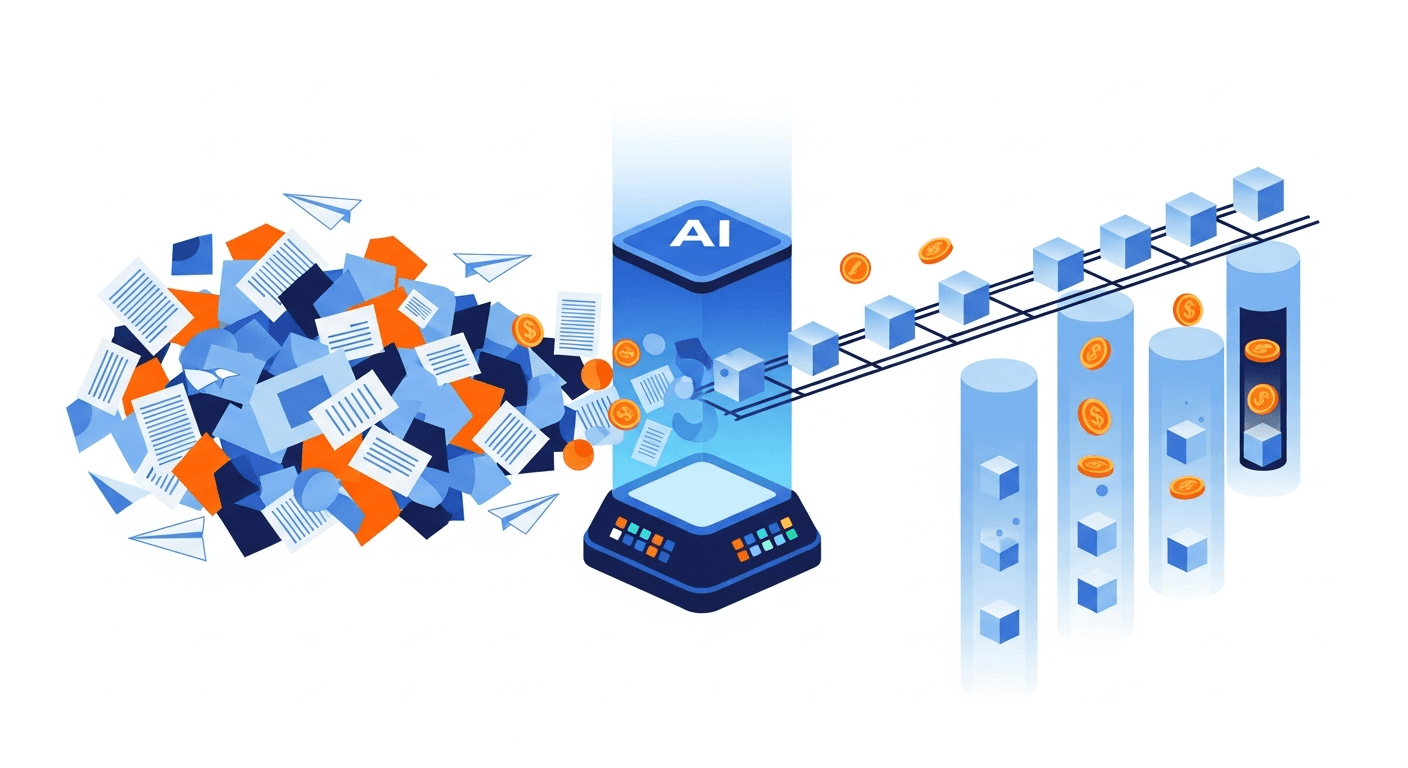
Automate Invoicing with AI: Cut Costs & Save Time
Discover how to automate invoicing with AI to slash processing costs, speed up cycle times, and eliminate manual data entry. Learn the ROI numbers and real-world workflows.

Key Takeaways
- Massive Cost Reductions: Automating your billing processes cuts processing costs from a painful $15–$40 per invoice down to a mere $3–$7. That’s a lot of extra cash for the company coffee budget.
- Unmatched Speed: Cycle times plummet from 10–20 days to 1–3 days (sometimes even same-day). It’s faster than an Amazon Prime delivery, letting you snag early payment discounts and boost your working capital.
- It's Not Just for AP: While everyone talks about Accounts Payable, intelligent automation is secretly a rockstar for Accounts Receivable (AR). It generates invoices, writes polished emails, and acts as your polite-but-firm collections agent.
- Accessible to Everyone: You don't need a Stark Industries budget to deploy intelligent document processing. Low-code and zero-code workflows mean small businesses and freelancers can build automated engines with tools they already have.
- Human-in-the-loop is Still Key: Machine learning models can hit 90–97%+ accuracy and 50–80% straight-through processing, but you’re still the boss. Human oversight remains critical for handling weird exceptions and complex vendor relationships.
Listen, if your finance team is still manually typing data from PDFs into your accounting software, you’re basically hand-cranking a car in the era of self-driving Teslas. Instead of leveraging tools to automate invoicing with AI, you're losing time, bleeding money, and inviting human error. Frankly, it's the kind of manual chaos that makes auditors break out in hives.
It’s no secret that manual data entry is the ultimate bottleneck for modern finance teams. But the solution has evolved faster than you can say "Accounts Painful." Today, smart businesses automate invoicing with AI to nuke manual tasks, drastically reduce disputes, and free up their brilliant teams. Your staff finally gets to do actual strategic work instead of glorified typing.
AI can now handle the whole enchilada with incredible precision. From reading line-item data and playing matchmaker with purchase orders, to routing approvals and sending out payment reminders that don't sound like a robot wrote them. For those working directly within their IDE, you might even consider exploring Cursor invoicing for seamless billing right from your development environment.
In this guide, we're going to pull back the curtain on how intelligent invoice processing actually works. We'll share the hard ROI numbers you need to convince your CFO and map out real-world workflows you can steal today. Grab a coffee; let's dive into the future of autonomous finance.
Table of Contents
- What Does It Actually Mean to Automate Invoicing with AI?
- The Hard Numbers: Why AI Invoicing is a Game-Changer
- AP vs. AR: The Two Sides of AI Invoicing
- Real-World Workflows: How to Automate Invoicing with AI
- Industry-Specific Use Cases
- Implementing AI Invoicing: The Change Management Playbook
- Top Trends: LLMs, Risks, and Autonomous Finance
- FAQ
- Conclusion
What Does It Actually Mean to Automate Invoicing with AI?
For years, companies relied on traditional Optical Character Recognition (OCR). Look, legacy OCR tried its best, but it was incredibly rigid. It was the digital equivalent of a stubborn grandpa. If a vendor moved their "Total Amount" box one inch to the left, the system threw a tantrum and a human had to build a brand new template.
Modern AI invoice automation is a completely different beast entirely. It combines advanced machine learning and Large Language Models (LLMs) to understand an invoice in context—just like you or I would. This "template-less" magic allows the system to operate with unparalleled flexibility.
When you automate invoicing with AI, the system seamlessly handles the heavy lifting:
- Captures data seamlessly: It grabs PDFs, scans, emails, and portal drops. It accurately pulls vendor details, line items, and tax codes without needing a strict treasure map.
- Validates data instantly: It checks invoices against Purchase Orders (POs), contracts, and vendor records faster than you can blink, flagging mismatches automatically.
- Codes and categorizes intelligently: It proposes General Ledger (GL) accounts and cost centers based on historical patterns. It remembers how you coded things last time, so you don't have to.
- Routes for approvals: It uses dynamic rules based on the invoice amount, department, or whether the vendor has a history of "accidental" overcharges.
Whether you're processing incoming supplier invoices or sending bills out to clients, this technology takes the soul-crushing repetitive friction out of the process. Some businesses are even exploring solutions using dedicated platforms, like setting up an invoice MCP server for enhanced automation.
The Hard Numbers: Why AI Invoicing is a Game-Changer
I know what you're thinking: "Sounds great, but show me the money." The financial ROI of intelligent billing isn't just theoretical fluff. If you're building a business case to slide across your CFO's desk, use these numbers:
| Metric | Manual Invoicing | AI Invoice Automation | The AI Advantage |
|---|---|---|---|
| Cost Per Invoice | $15 – $40 | $3 – $7 | Save $12–$33+ per invoice by drastically reducing labor hours. |
| Cycle Time | 10 – 20 Days | 1 – 3 Days | Faster processing unlocks early payment discounts (and keeps vendors happy). |
| Error Rate | 1% – 3% (Fat-finger syndrome) | 90% – 97%+ Accuracy | Fewer disputes and less time spent playing detective to fix mistakes. |
| Touchless Processing | 0% | 50% – 80% | Straight-Through Processing (STP) handles the boring, routine invoices instantly. |
Where Do the Savings Actually Come From?
Your team stops acting as highly-paid data entry clerks and stops chasing department heads down the hall for approval signatures. Cleaner data means no more duplicate payments or paying for stuff you didn't receive.
Having real-time visibility into your liabilities is like having night-vision goggles for your cash flow management. Furthermore, AI instantly spots red flags—like duplicate invoice numbers, sketchy new vendors, or sudden changes to bank routing details that scream phishing scam.
AP vs. AR: The Two Sides of AI Invoicing
Most guides on the internet act like Accounts Payable (AP) is the only child in the finance family. But what about Accounts Receivable (AR)—you know, the part where you actually get paid? AI is revolutionizing both sides of the coin.
Accounts Payable (AP) Automation
On the AP side, AI is your ultimate nightclub bouncer. It ingests thousands of messy, unstructured documents and translates them into perfectly neat data. It then checks them against your ERP's guest list, validates the rules, and lines them up for payment.
Accounts Receivable (AR) Automation
On the AR side, AI acts as an invisible, highly articulate collections agent. If you are researching how to invoice clients as a freelancer, AI can automatically pull project data from your CRM to generate line-item descriptions. It drafts highly personalized, polished invoice emails so you never have to stare at a blank screen.
It even analyzes a customer's payment history to predict if they're going to drag their feet this month. From there, it triggers AI-assisted reminder sequences that adapt their tone based on how far past due the invoice is. If you are considering using coding AI for invoicing, then you might want to check out our guide on Claude Code invoicing setup.
Real-World Workflows: How to Automate Invoicing with AI
Theory is nice, but let's look at how the sausage is actually made. Here are three concrete workflows showing how real businesses automate invoicing with AI today.
Workflow A: Mid-Market to Enterprise AP Workflow
This is the holy grail for a company dealing with hundreds or thousands of supplier invoices monthly.
- Capture: Invoices hit a dedicated inbox. A platform like InvoiceCave watches this inbox 24/7 like a hawk.
- AI Extraction: The AI spots the attachment, reads the PDF, and extracts the supplier name, invoice number, line items, and taxes.
- Validation (3-Way Match): The system cross-references the invoice against the original PO and the warehouse receipt.
- Smart Routing: Perfect match? It bypasses human review entirely for straight-through processing. If it’s a massive $50,000 bill, it routes to the VP of Finance for a quick one-click digital approval.
Workflow B: Small Business / Agency AR Workflow
Freelancers and small agencies, listen up. You can build incredibly powerful AR workflows using standard tools plus a sprinkle of intelligent automation.
- Trigger: You mark a project as "Complete" in Notion, Asana, or your CRM.
- Template Generation: A trusty automation tool pulls the client details and drops them into a free freelance invoicing templates free to create a beautifully formatted PDF.
- AI Enhancement: ChatGPT drafts a custom email to the client, summarizing the awesome work you did.
- Smart Follow-Ups: If they haven't paid in 14 days, the AI triggers a polite, context-aware follow-up email so you don't have to play the bad guy.
Workflow C: The Zero-Code DIY Flow
For extreme simplicity, you can set up a "no-code" extraction flow in an afternoon. First, a tool watches your Gmail for attachments containing the word "Invoice."
It sends the PDF to an AI extractor, pulling the Date, Vendor, Amount, and Currency. The AI dumps this structured data straight into a Google Sheet. Voilà! You have a real-time, automated expense ledger without ever touching your keyboard.
Industry-Specific Use Cases
AI invoice processing isn’t a one-size-fits-all t-shirt. Different industries have different headaches, and AI is perfectly equipped with the right pain relievers to cure them.
- Construction: You guys deal with complex, multi-page change orders, partial lien waivers, and progress billing. AI tracks cumulative billing against master contracts to ensure you aren't accidentally overpaying a subcontractor for drywall they haven't hung yet.
- Marketing Agencies: Tracking billable hours across multiple platforms is a nightmare. AI consolidates all those scattered hours and generates detailed, transparent invoices that clients actually trust (and pay faster).
- Healthcare: Dealing with complex payers, a million medical supplies, and strict compliance makes healthcare AP notoriously sluggish. AI ensures vendor invoices for those supplies match strict POs and comply with departmental budgets instantly.
Implementing AI Invoicing: The Change Management Playbook
Finding the best AI invoicing software 2026 is the easy part. Getting your team to use it without starting a mutiny requires a little finesse. Here is your practical playbook for rolling out your new tech stack.
- Establish Your Baseline KPIs: Before you automate, know your current stats. Calculate your cost per invoice, average processing time, and error rate. You need these "before" pictures to show off your "after" results.
- Clean Your Vendor Master Data: Garbage in, garbage out. If your ERP has five different entries for "AT&T", the AI will get confused. Clean your room before you invite the AI over.
- Start with a Pilot Program: Don't flip the switch on everything at once. Choose your top 10 highest-volume vendors. Run their invoices through the AI to train the models and catch any weird edge cases.
- Build Human-in-the-Loop Workflows: Reassure your team that AI isn't here to steal their jobs; it’s here to take away the boring parts. Set up exception-handling queues so your humans only step in for strategic decisions.
Top Trends: LLMs, Risks, and Autonomous Finance
As we cruise toward the future, the landscape of financial automation is shifting fast. Here's what's coming down the pike for finance teams.
1. The Rise of LLMs in Finance Large Language Models are moving right into AP tools. Soon, instead of clicking through six different dashboard menus, a controller can just type: "Hey, why was the Acme Corp invoice flagged?" The AI will reply: "The unit price on the invoice is 15% higher than the original PO, boss."
2. Managing AI Risks With GenAI comes the risk of "hallucinations" where the AI confidently makes things up. Top-tier platforms mitigate this by strictly tethering their AI to your actual ERP data. Plus, enterprise-grade AI tools ensure strict compliance protocols so your financial data stays completely private.
3. The Shift to "Autonomous AP" We are graduating from automated billing to fully autonomous AI bookkeeping. AI won't just extract data; it will actively negotiate early payment discounts with vendors via email. It will optimize when a payment goes out based on your real-time cash flow, executing the payment with zero human intervention.
FAQ
What is the difference between traditional OCR and AI invoice processing?
Traditional OCR relies on rigid, coordinate-based templates (e.g., "always look for the total in the top right corner"). If the invoice format changes, OCR breaks down and requires manual fixing. AI invoice processing uses Machine Learning to actually understand the context of the document, extracting data perfectly regardless of the layout.
How much does AI invoice automation cost?
Costs vary based on your invoice volume and integration needs. While enterprise platforms have monthly subscriptions, the metric you should care about is the cost per invoice. AI typically slashes this processing cost from $15–$40 down to just $3–$7, meaning the ROI usually pays for the software in months.
Can AI handle complex line-item data and tax rules?
You bet. Modern AI systems eat complex, multi-page, line-item data for breakfast. They can instantly map specific items to unique tax codes, separate freight charges, and assign individual cost centers based on your pre-configured ERP rules.
Do I still need humans if I automate invoicing with AI?
Absolutely. We call it "Human-in-the-Loop" automation for a reason. AI acts as your trusty sidekick, handling 80% of the routine, straight-through processing. Your human team steps in to handle the 20% of exceptions, manage delicate vendor relationships, and make strategic financial decisions.
Is AI invoice automation secure?
Leading AI platforms are locked down tighter than Fort Knox. They use bank-level encryption, granular access controls, and maintain obsessive audit trails. Frankly, AI enhances your security by automatically catching duplicate invoices and sniffing out potential vendor fraud that a tired human might miss on a Friday afternoon.
Conclusion
The days of manual data entry, lost PDFs, and endless "Did you approve this?" email chains are officially over. The data speaks for itself: when you choose to automate invoicing with AI, you slash processing costs by up to 80%. You reduce human error to near-zero and dramatically accelerate your entire cash flow cycle.
Whether you're looking to untangle a messy AP workflow or put your AR collections on autopilot, the technology is finally here. It’s accessible to businesses of all sizes, it’s highly secure, and it’s incredibly powerful.
Ready to stop acting like a data entry clerk and step into the era of autonomous finance? Start your journey toward faster payments, zero data entry, and a finance team that actually enjoys coming to work.
Ready to simplify your invoicing?
Create professional invoices in seconds. Free to start.
Get Started Free